Evaluating Self-Hosted LLM Platforms: From Front Ends to Enterprise GenAI




Evaluating Self-Hosted LLM Platforms
Audience: technical leaders and engineers asking “Why not just use Open WebUI?”
This document explains the major capability categories used to evaluate self‑hosted LLM platforms (LibreChat, Open WebUI, Bionic GPT, Onyx). Each category explains what the user sees, what happens underneath, and—where relevant—what a tool definition typically looks like. A comparison matrix follows each section.
1. Interaction & Modalities
What this category covers
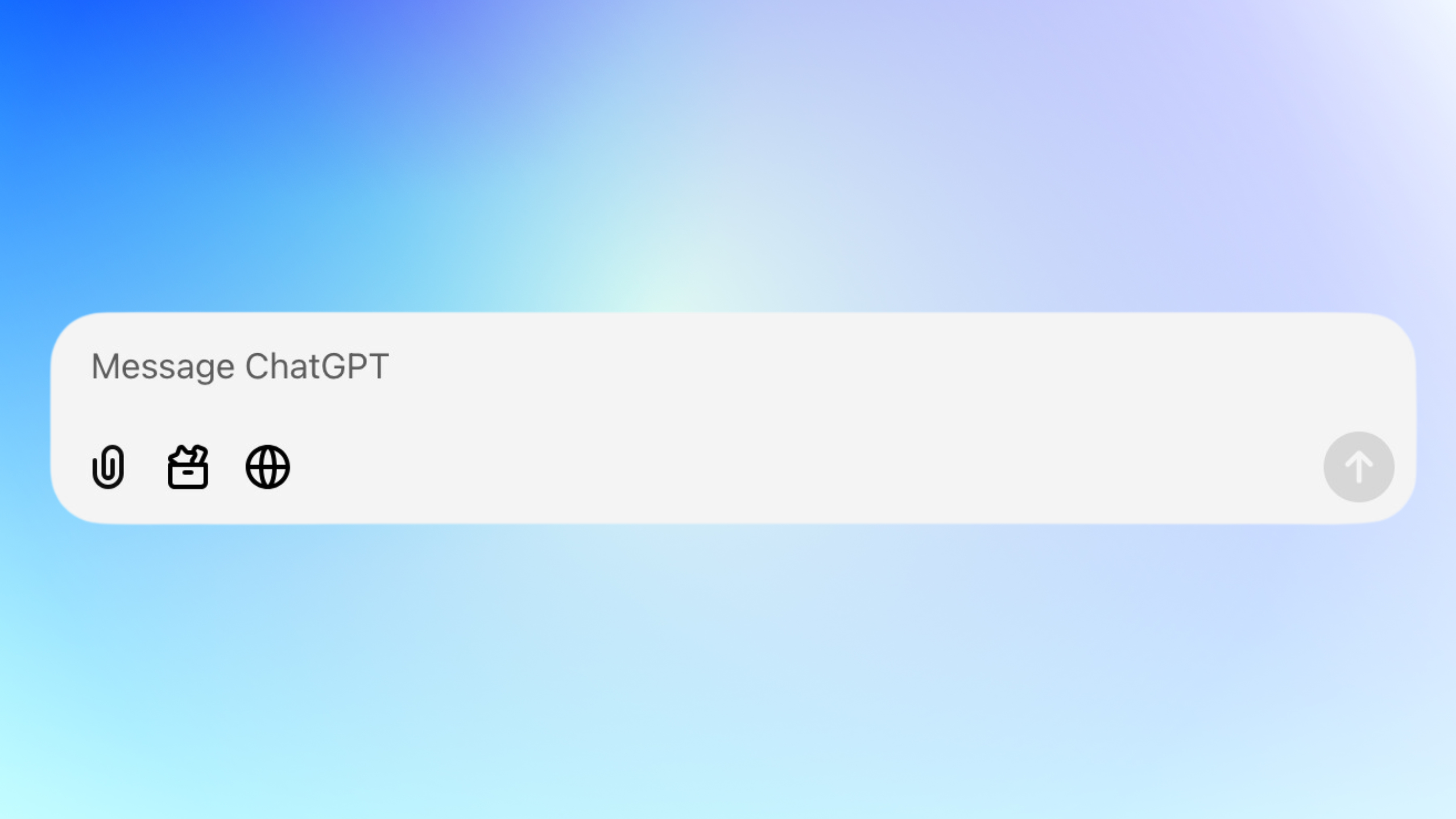
How users interact with models and which input/output modalities are supported beyond plain text.
What happens underneath
The platform must:
- Normalize user inputs into model‑specific request formats
- Manage binary assets (files, images) with lifecycle and access control
- Route requests to different model endpoints depending on modality
Platforms that only support chat are thin UIs. Platforms that support multiple modalities require orchestration, storage, and policy enforcement layers.
Typical tool definition (example)
web_search(query: string, recency_days?: number)
create_image(prompt: string, size?: string)
analyze_image(image_ref: File)
open_url(url: string)
list_attachments()
get_attachment(id:number, offset: number)
Comparison matrix
| Capability | LibreChat | Open WebUI | Bionic GPT | Onyx |
|---|---|---|---|---|
| Text chat | ✓ | ✓ | ✓ | ✓ |
| File attachments (tool‑accessible) | Partial | Basic | ✓ | ✓ |
| Image generation | ✓ | ✓ | ✓ | ✓ |
| Image analysis / vision | Partial | Partial | ✓ | ✓ |
| Web search via tools | Partial | Limited | ✓ | ✓ |
| Deep research mode | ✗ | ✗ | ✓ | ✓ |
2. Saved Configurations, Agents & Projects
What this category covers
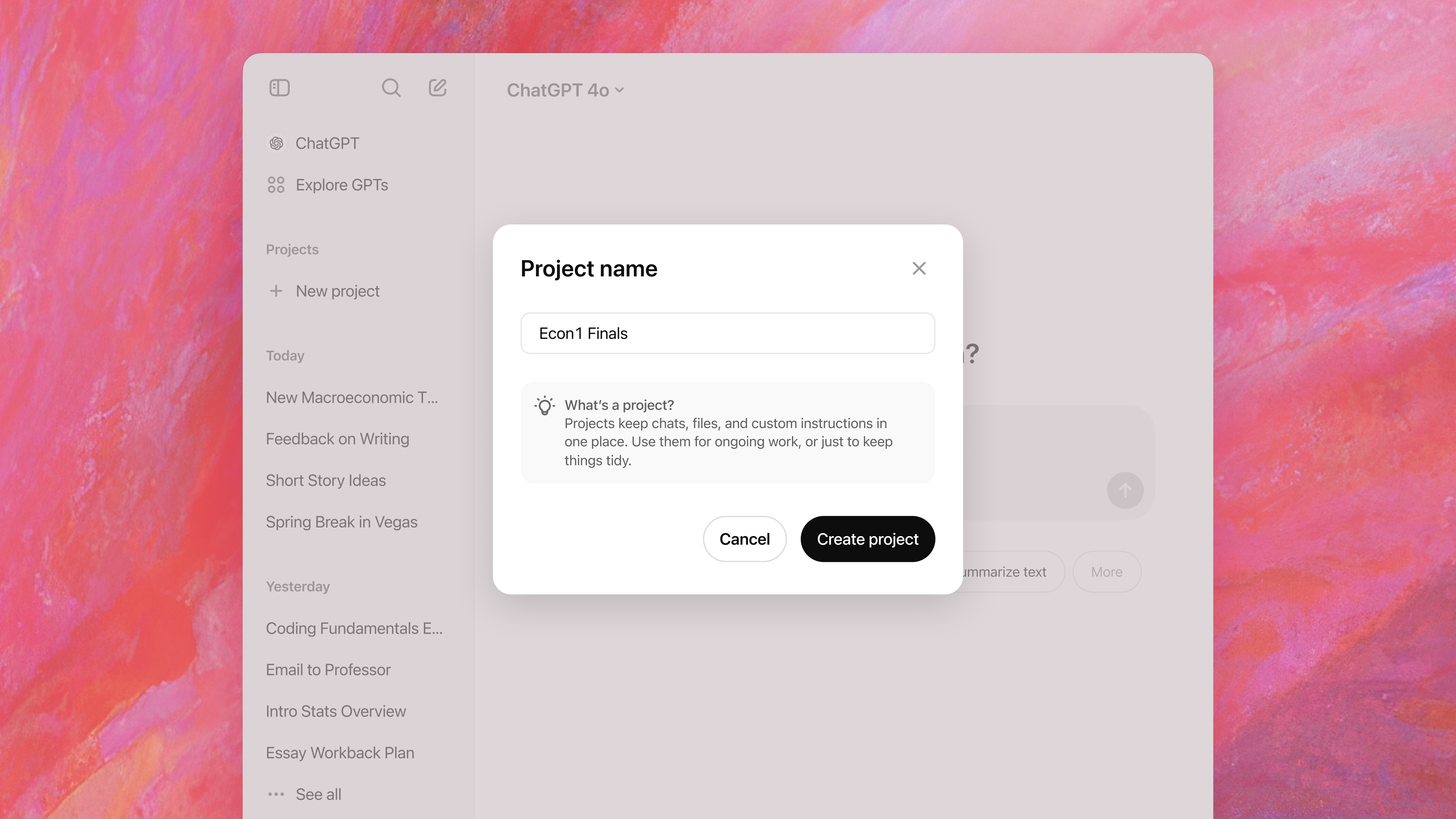
How systems define persistent AI behaviour and context.
What happens underneath
- Saved configurations combine system prompts, tools, and data bindings
- Projects/workspaces attach shared context across chats
- Agentic systems include planners, tool executors, and state machines
This is the dividing line between chat UIs and AI systems.
Here is project-level tool pseudocode that represents what a full platform (not just a chat UI) typically exposes to an LLM when operating inside a Project / Workspace.
Project Context & Navigation
get_project() -> Project
list_project_chats(project_id: string) -> Chat[]
get_chat(chat_id: string) -> Chat
create_chat(project_id: string, title?: string) -> Chat
rename_chat(chat_id: string, title: string)
Conversation Memory & State
store_memory(key: string, value: string)
read_memory(key: string) -> string
list_memory_keys() -> string[]
delete_memory(key: string)
File & Artifact Management
list_attachments() -> File[]
read_file(file_id: string) -> FileContent
write_file(name: string, content: bytes) -> File
delete_file(file_id: string)
Comparison matrix
| Capability | LibreChat | Open WebUI | Bionic GPT | Onyx |
|---|---|---|---|---|
| Named configurations | ✓ | Limited | ✓ | ✓ |
| System instructions | ✓ | ✓ | ✓ | ✓ |
| Tool access per configuration | Limited | Limited | ✓ | ✓ |
| Projects / shared context | ✗ | Partial | ✓ | ✓ |
| Multi‑step agent execution | ✗ | ✗ | ✓ | ✓ |
3. Knowledge & Data Ingestion (RAG)
What this category covers
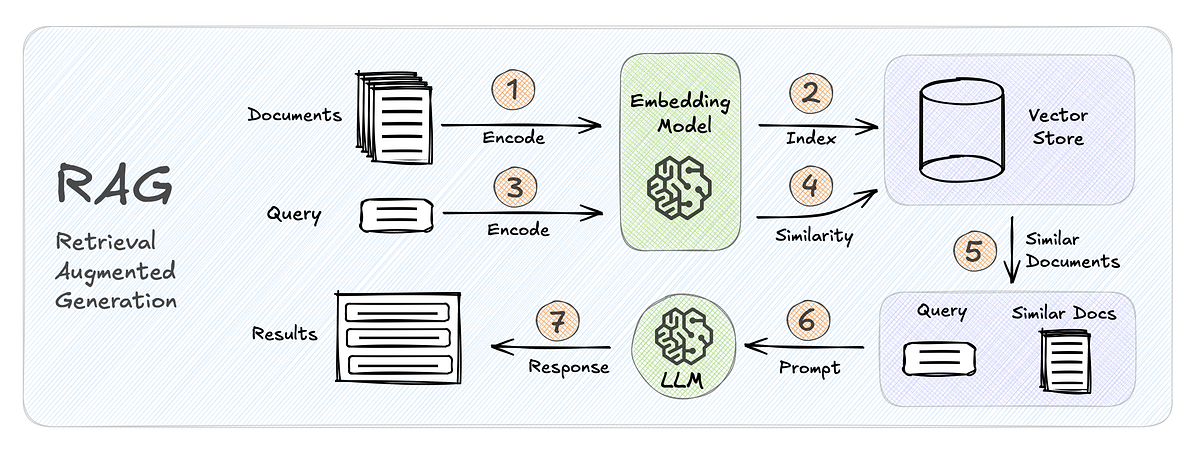
How external knowledge is ingested, indexed, and retrieved during inference.
What happens underneath
- Documents are parsed and chunked
- Embeddings are generated and stored
- Retrieval pipelines select relevant chunks at runtime
- Permissions are enforced per chunk or source
This requires background pipelines, vector stores, and runtime binding—none of which exist in simple chat UIs.
Rag Tools passed to the model
search_knowledge(query: string, k?: number) -> RetrievedChunk[]
get_chunk(chunk_id: string) -> RetrievedChunk

request_full_document(
  source_id: string,
  justification: string
) -> DocumentHandle
Comparison matrix
| Capability | LibreChat | Open WebUI | Bionic GPT | Onyx |
|---|---|---|---|---|
| RAG support | ✓ | ✓ | ✓ | ✓ |
| Multiple knowledge sources | Limited | Limited | ✓ | ✓ |
| Continuous ingestion | ✗ | ✗ | ✓ | ✓ |
| Permission‑aware retrieval | ✗ | ✗ | ✓ | ✓ |
| Supported file types (broad) | Partial | Partial | ✓ | ✓ |
4. Integrations & Extensibility
What this category covers
How the system interacts with external APIs and tools.
What happens underneath
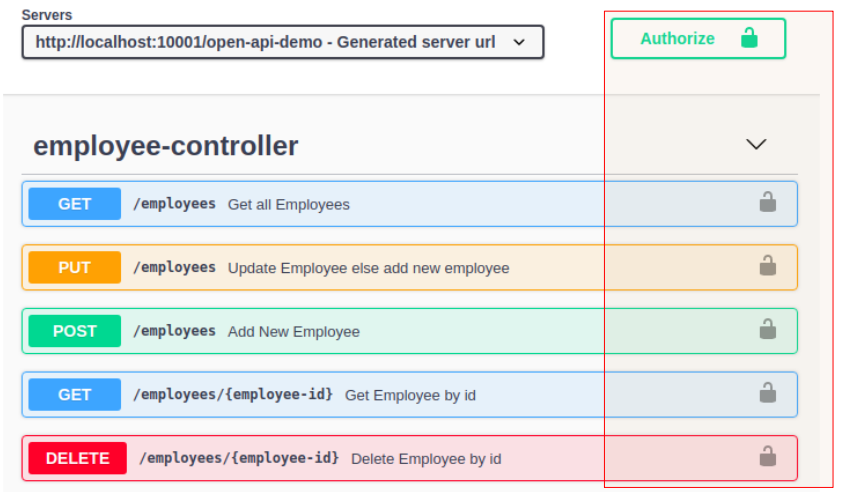
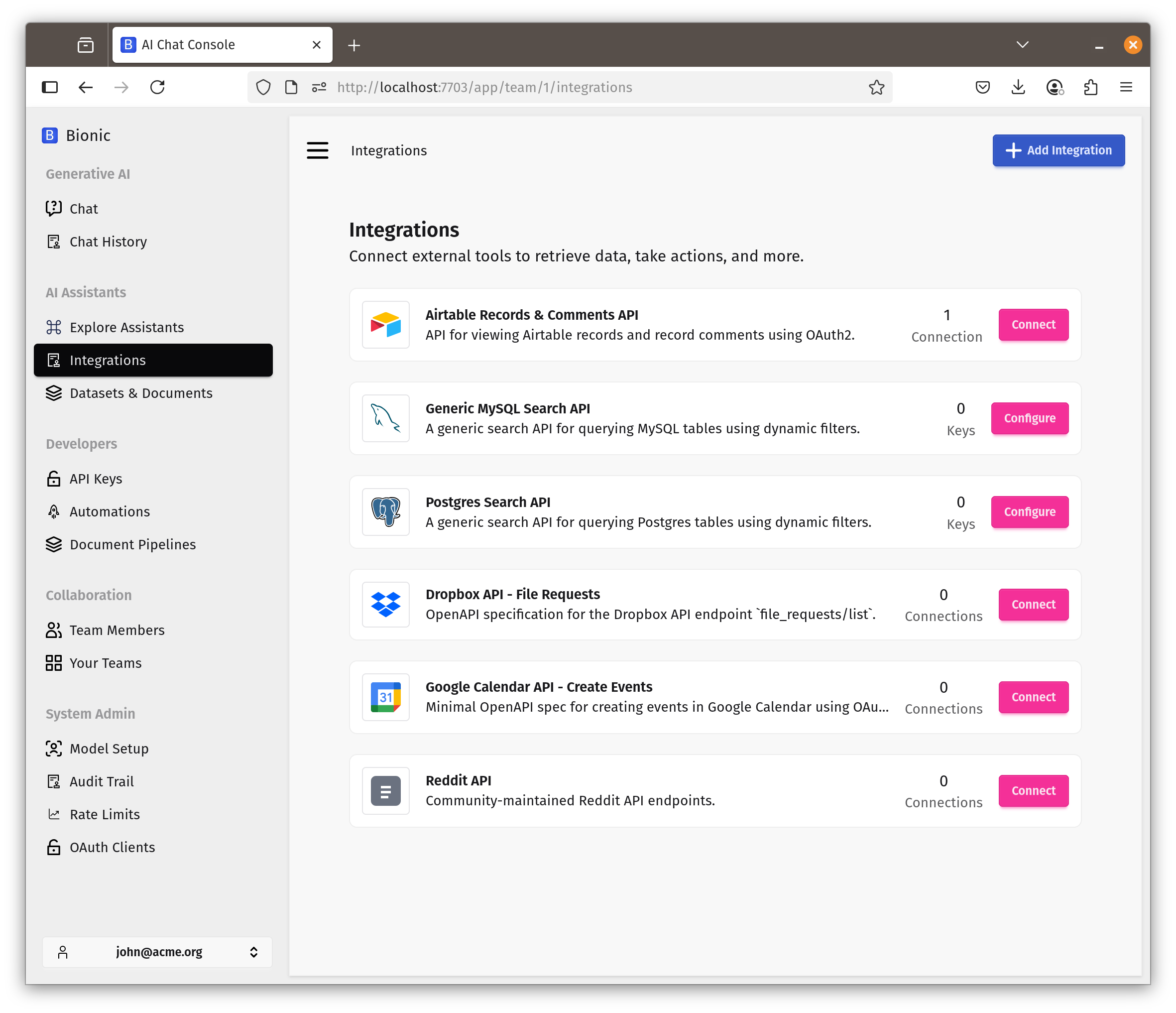
- OpenAPI specs are parsed into callable tools
- OAuth2 flows and secrets are managed centrally
- Tool execution is sandboxed and audited
- MCP enables cross‑system agent interoperability
This is where platforms stop being UIs and become integration hubs.
Typical OpenAPI tool binding
openapi: https://api.example.com/openapi.json
auth:
  type: oauth2
  token_ref: crm_access_token
Comparison matrix
| Capability | LibreChat | Open WebUI | Bionic GPT | Onyx |
|---|---|---|---|---|
| OpenAPI tool ingestion | Partial | Partial | ✓ | ✓ |
| OAuth2‑secured APIs | ✗ | ✗ | ✓ | ✓ |
| MCP client | ✗ | ✗ | ✓ | ✓ |
| MCP server | ✗ | ✗ | ✓ | Limited |
| Virtual API keys | ✗ | ✗ | ✓ | ✓ |
5. Security, Identity & Governance
What this category covers
Controls required in multi‑user, regulated, or enterprise environments.
What happens underneath
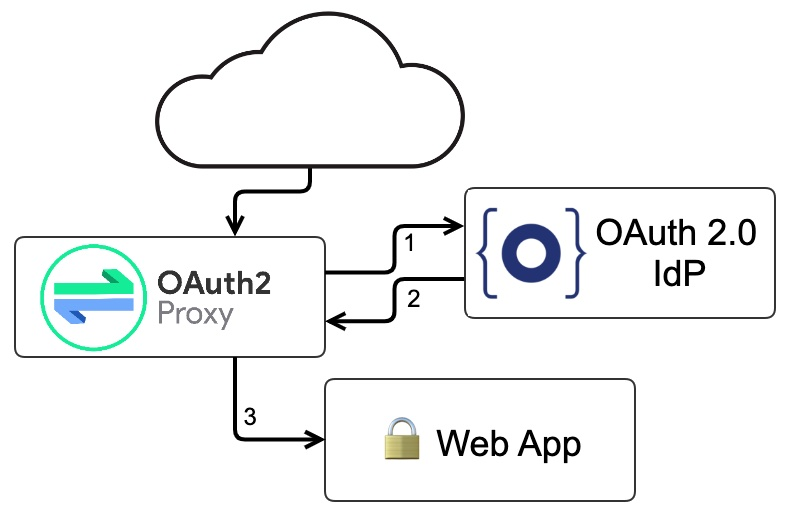
- Identity providers are federated via SSO
- Authorization is enforced at request and data levels
- Secrets and prompts are encrypted at runtime
- Audit events are emitted for compliance
Comparison matrix
| Capability | LibreChat | Open WebUI | Bionic GPT | Onyx |
|---|---|---|---|---|
| SSO | Partial | Partial | ✓ | ✓ |
| RBAC | ✗ | ✗ | ✓ | ✓ |
| Teams / multi‑tenancy | Limited | Limited | ✓ | ✓ |
| Sharing controls | Basic | Basic | ✓ | ✓ |
| Runtime encryption | ✗ | ✗ | ✓ | ✓ |
6. Observability & Cost Control
What this category covers
Visibility into usage, cost, and system behaviour.
What happens underneath
- Every request/response is metered
- Tokens are attributed to users, teams, and models
- Metrics are exported via OpenTelemetry
Without this, systems cannot be governed or scaled responsibly.
Comparison matrix
| Capability | LibreChat | Open WebUI | Bionic GPT | Onyx |
|---|---|---|---|---|
| Token accounting | Partial | Partial | ✓ | ✓ |
| Request/response storage | Partial | Partial | ✓ | ✓ |
| OpenTelemetry support | ✗ | ✗ | ✓ | ✓ |
| Grafana‑ready metrics | ✗ | ✗ | ✓ | ✓ |
7. Deployment & Platform Architecture
What this category covers
How the system runs in real infrastructure.
What happens underneath
- Services are decomposed and scalable
- Execution environments are isolated
- Kubernetes operators manage lifecycle and upgrades
This is the clearest separator between tools and platforms.
Comparison matrix
| Capability | LibreChat | Open WebUI | Bionic GPT | Onyx |
|---|---|---|---|---|
| Self‑hosted | ✓ | ✓ | ✓ | ✓ |
| Kubernetes native | ✗ | ✗ | ✓ | ✓ |
| Kubernetes operator | ✗ | ✗ | ✓ | Partial |
| Sandboxed code execution | ✗ | ✗ | ✓ | ✓ |
Final Takeaway
Open WebUI answers the question: “How do I chat with an LLM?”
Platforms like Bionic GPT and Onyx answer: “How do I safely, observably, and extensibility deploy AI across an organization?”
That distinction only becomes visible once you look below the UI layer—exactly what this evaluation framework is designed to do.